

I took my first AI class in college in 1984 and have been waiting ever since for something useful! Here we are.
I asked ChatGPT to export all the prompts I have used over the last 12 months. There were just under 2,000 prompts. Looking at the data, here are 10 ways AI has become useful to me.
1. Troubleshoot technology
When something isn't working, AI can help me narrow down the cause.
I've used it for questions involving Macs, Excel crashes, monitor connectivity, Wi-Fi issues, software settings and other technology problems.
Prompt example: “Read the attached Excel crash report and tell me the most likely cause and what I should try next.”
Prompt example: “My Safari/Chrome browser is showing a spinning color wheel, and the activity report is attached. What is the issue? I have quit the browser and restarted the computer, but it still spins.”
The important thing is to describe what happened, provide any evidence (e.g., screenshots), and explain what you expected to happen and what you've already tried.
2. Solve Excel problems
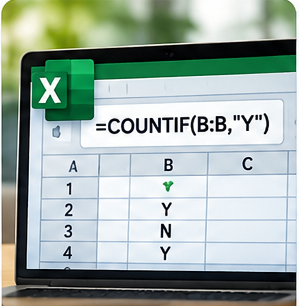
I use spreadsheets extensively, so I frequently ask AI questions about Excel.
I've used it to help with formulas, conditional formatting, comparing lists, inventory quantities, VBA macros and troubleshooting spreadsheet problems.
Prompt example: “What Excel formula counts the rows where Column B contains Y?”
Prompt example: “What is wrong with this Excel formula: ‘=A1:$B2…’?”
3. Analyze documents and files
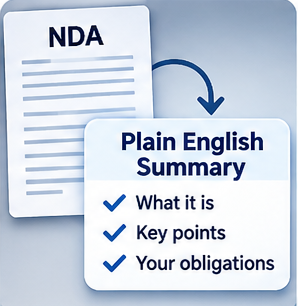
Sometimes the problem isn't creating information. It's getting through information I already have.
AI can help analyze spreadsheets, transcripts, PDF documents, policies, bills and lists of customer comments.
Prompt example: “Compare these three electricity bills and tell me whether they use the same plan and rates.”
I can ask it to summarize the material, identify differences or extract just the information I need.
4. Research a decision
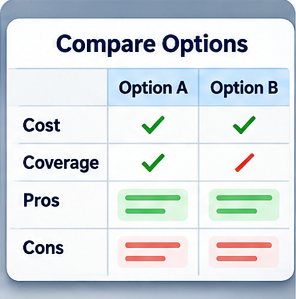
AI is also useful when I have several choices and want help organizing the tradeoffs.
For example, I can ask it to compare products, insurance options, investment choices, software or travel alternatives.
Prompt example: “Compare these rental-car insurance options and recommend the best combination if I don't want to use my personal insurance.”
Rather than simply asking “Which is best?” I get better results by explaining what matters to me and asking AI to compare the options against those criteria.
In this video, I use ChatGPT compare different utility plans based on consumption data (https://youtu.be/nFl0eKcTjTk).
5. Turn information into useful content
One idea can often become several pieces of content.
I can take a customer problem, spreadsheet lesson or consulting experience and ask AI to help turn it into a newsletter article, YouTube outline, checklist, website explanation or customer email.
Prompt example: “Write a 150-word article explaining cycle counting for a small business using an inventory spreadsheet.”
That makes existing knowledge much easier to use.
6. Plan complicated work
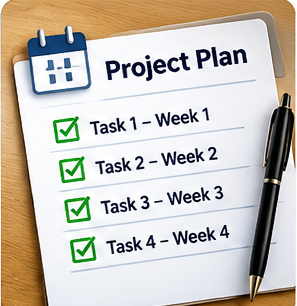
AI is particularly helpful when something has many moving parts.
I can give it the constraints, dates and desired result and ask it to develop a plan. I've used this approach for business projects, client activities, travel schedules and other multi-step work.
Prompt example:
“I have 300 tasks that have been scored 0.00 (not finished), 0.33 (partially finished), and 0.66 (largely finished).
Read the XX tab of the attached spreadsheet, column B, starting at row 22.
If a score is 0.00, then use 64 hours for the effort to finish that item.
If a score is 0.33, then use 56 hours for the effort to finish that item.
If a score is 0.66, then use 23 hours for the effort to finish that item.
If 4 people work in parallel on the total estimated effort for 2 hours per day, will they finish by March 15, assuming they work 5 days per week and they subtract 1 week for Thanksgiving and 1 week for Christmas?
Show the calculations behind the result so that I can check it.”
7. Reduce repetitive administrative work
This is an area where I see increasingly useful possibilities.
For recurring client work, AI can help create reminder schedules, draft routine emails, calculate milestone dates and develop repeatable workflows.
Prompt example: “Using the final project date (column A) and the days needed for each event (column B), calculate when each of the 14 events should be completed and send me reminder emails when needed.”
8. Brainstorm ideas
When I know the general subject but don't know exactly what to write about, I ask AI for ideas.
For example, I might ask for newsletter topics, inventory-management ideas, different ways to explain a service, or problems that might make good YouTube videos.
Prompt example: “Give me 10 short article ideas that would interest small business owners.”
9. Generate better titles
I've used AI extensively to create alternatives for newsletter headlines, YouTube titles, service names and product names.
Instead of trying to come up with the perfect title, I can ask for 10 or 20 choices and then pick or modify the one I like.
Prompt example: “Give me 10 simple YouTube titles about winning customers by replying quickly.”
10. Improve something I've already written
This may be one of my most common uses. I'll write something first and then ask AI to make it shorter, clearer, less salesy, or better written. I often ask for several alternatives rather than accepting the first rewrite.
Prompt example: “Rewrite this paragraph to make it shorter and easier for a small business owner to understand.”
Your Next Step
Look at what you did this week and ask yourself, "What task took too long, was repetitive, or required me to figure something out from scratch?"
Want help putting AI to work in your small business?
Learn more about my Practical AI services, or contact me with your questions.
AI implementation examples